Introducing Shape Collage!
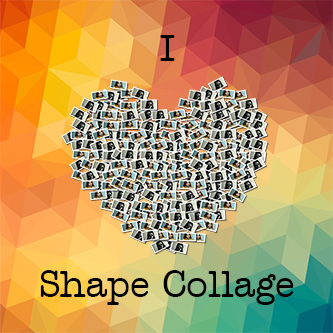
New to Ribbet: Shape Collage! With thousands of shapes to choose from, we hope you heart it as much as we do! Check it out on the Library > Start tab at www.ribbet.com/app.

New to Ribbet: Shape Collage! With thousands of shapes to choose from, we hope you heart it as much as we do! Check it out on the Library > Start tab at www.ribbet.com/app.
It’s been a month now since Ribbet launched and today we have released the most exciting features so far: – Edit your pictures directly from Facebook and Flickr – A Facebook app – Save your edited pics directly to Facebook and Flickr – Replace Flickr photos you edit (Flickr pro users only) – Edit your…
Now you can use your webcam to take photos with over 55 awesome webcam effects. Use your photos to create a new profile picture, to add to a collage, or just for fun. www.ribbet.com/app/#/in/webcam And if that’s not enough effects for you, use the “Combine Effects” button to combine 2 different effects (that makes more…
We are so excited to be launching our baby “Ribbet” to the world today! Join us on an adventure to bring serious photo editing power to everyone. Built on the same platform that made Picnik great, Ribbet.com is the world’s easiest and most powerful online photo editor. So get ready for collages, touch-ups, advanced photographic effects…
New to Ribbet, the Pro Adjust tool: Now you can selectively adjust the exposure, highlights, shadows, contrast, sharpness and clarity on your photos from a single tool. You can find it on Ribbet’s Pro tab. Our team have also been busy on a new side project. We are very excited to introduce you to SonicHits.com,…
Create authentic vintage-looking photos with True Vintage. It’s like 50 vintage cameras plus your own private dark room.
It’s the most wonderful time of the year… New feature time! Over the coming weeks Ribbet! will be releasing lots of exciting new features to keep your editing juices flowing. Want to get a little more advanced? Use our new Pro Editor tool to open up your masterpiece in Pixlr, a Photoshop-like editor where you…
How do I add text to photos?
Hi Ry,
Thanks for reaching out to us!
You can add text by first uploading your photo within our editor, and then navigating to the Text tab. Enter your text in the box up the top left and then click Add.
Let us know if you have any further questions!
How do I change the collage to a shape?
Hi Carley,
To create a Shape Collage choose “Shape Collage” up the top right of the “Start” tab within our desktop program or web editor. You can then select from any of the shapes on the left bar (more are available by choosing the categories on the left toolbar).
Let us know if you have any further questions!
– Regards, The Ribbet Team